 InvoiceCraft
Proposals that get accepted on a phone, then turn into invoices
A proposal is a priced scope of work with a signature line. InvoiceCraft makes the signature line a button, lets the customer pick their add-ons, and writes the invoice the moment they accept.
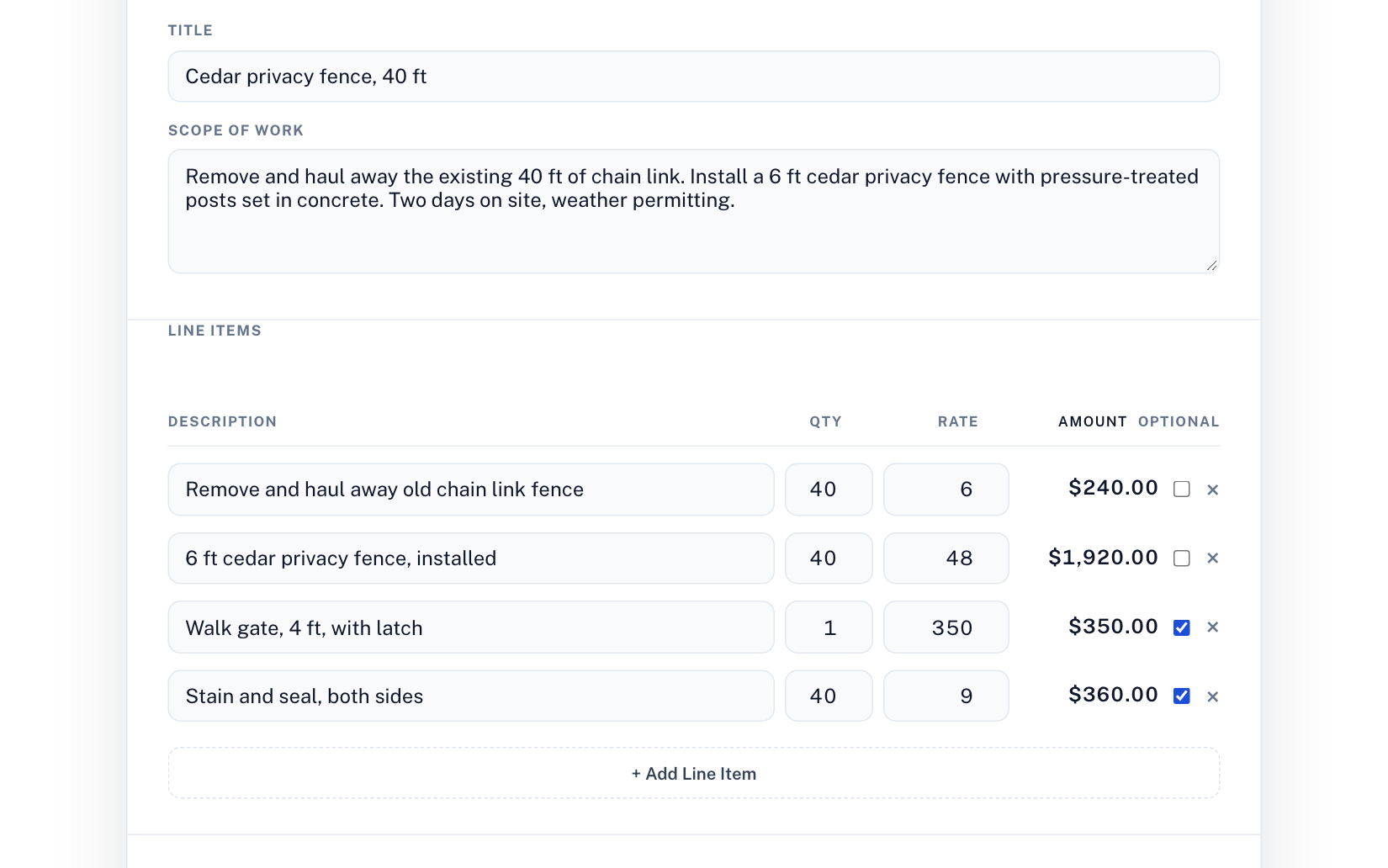
What a proposal is, and why it beats a quote in a text message
A quote is a number. A proposal is the number plus everything that number covers: the scope, what is excluded, when the work happens, how you get paid, and what happens when the job changes. Customers accept proposals faster than quotes because there is less to ask about, and disputes later are rarer because the answer is written down. For trades and service businesses that is the difference between "you said it would be twelve hundred" and a document the customer signed.
How it works
- Describe the job. Type it in plain English, or let the AI draft it: title, scope, priced line items, terms, and a validity date, tuned for your trade. Edit anything.
- Mark the add-ons optional. Gate, stain and seal, extended warranty. Optional items show up as checkboxes on the customer's page; required items are always included.
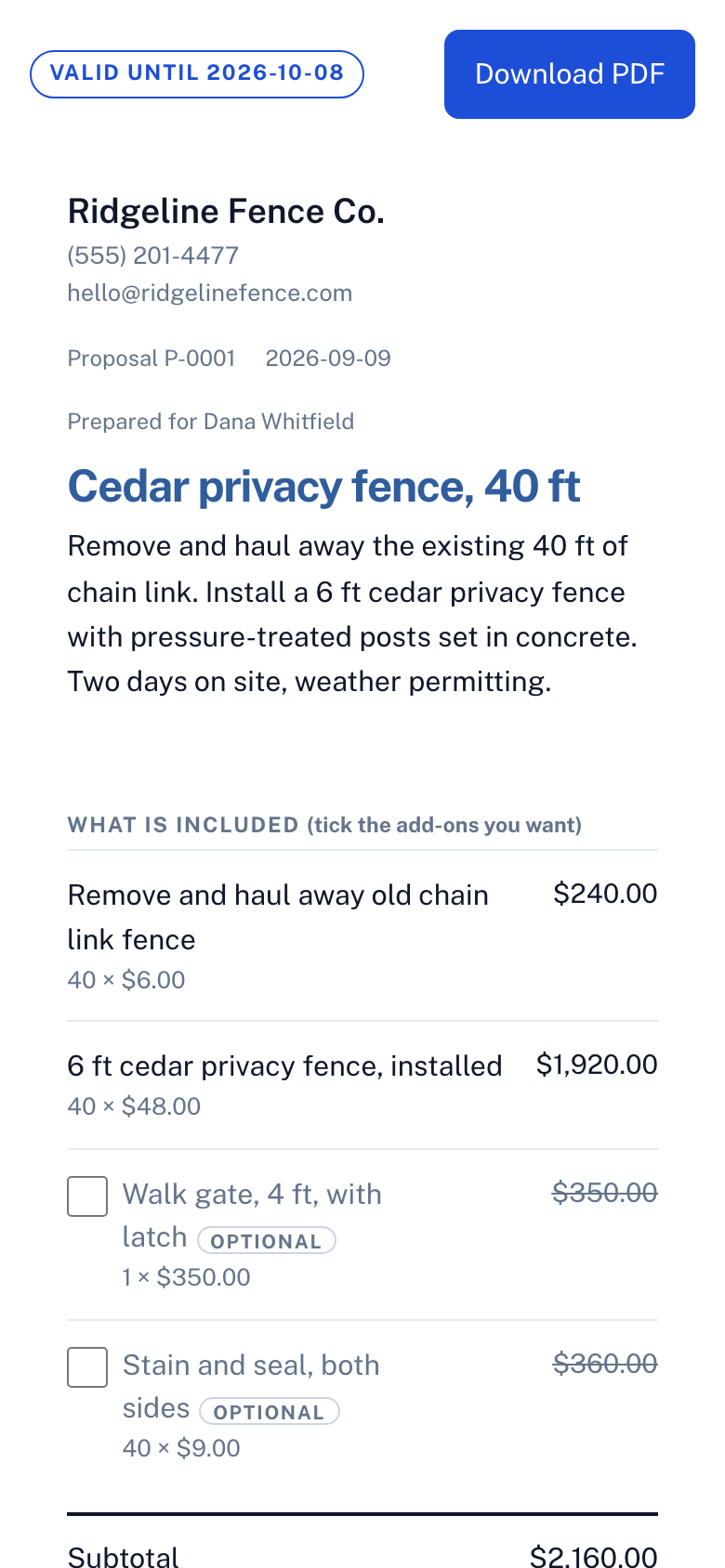
- Send the link. The customer opens it on their phone, ticks the extras they want, watches the total update, types their name, and accepts. No app, no account, no printing.
- The invoice writes itself. On acceptance we generate the invoice from exactly what they chose. If you set a deposit, the deposit invoice goes out immediately and a balance invoice waits as a draft.
What gets recorded when they accept
The typed name, the UTC timestamp, the IP address, the browser, the exact items and totals they agreed to, and a cryptographic hash of the rendered proposal. The record cannot be edited or deleted, even by you. The signed PDF shows the name in a signature face with an "accepted electronically" footer. Read more on the e-signature page.
Show what a price is made of
Any line can be broken down into sub-items: "Install hot water heater, $1,850" becomes the $1,200 heater and $650 of labor underneath it. The line's price is always the sum, so the numbers cannot disagree. You choose whether the customer sees the sub-item prices or just the list of what is included. It works the same on invoices and estimates.
When the job changes after they sign
Extras agreed in the driveway are how final invoices get disputed. On an accepted proposal, add a change order: the work being added or credited, the reason, and the new job total. The customer approves it on their phone with a typed name, the approval is kept as a permanent record like the original acceptance, and the unpaid balance invoice updates itself. Change orders do not count against the three free proposals a month.
Proposals, estimates, invoices: which one do you need?
Use a quick estimate when the customer wants a number before deciding. Use a proposal when the job has a real scope, options, or a deposit, and you want a signature. Use an invoice when the work is done or a payment is due. InvoiceCraft carries the same client, line items, and branding through all three, so nothing is retyped.
Templates by trade
Start from a proposal with realistic line items and terms for your trade: landscaping, HVAC, plumbing, electrical, cleaning, roofing, painting, handyman, pressure washing, photography.
Frequently asked questions
Is the proposal tool free?
Yes. Free accounts can create three proposals a month, send them, and have customers accept them online. Pro ($9/month) removes the limit and adds deposits and your logo and colours on the proposal.
Can the customer choose options on the proposal?
Yes. Mark any line item optional and it appears as a checkbox on the customer's page. The subtotal, tax, total, and deposit recalculate as they tick items, and the invoice is generated from what they actually selected.
Does accepting a proposal create an invoice automatically?
Yes. On acceptance InvoiceCraft creates the invoice from the accepted items, linked to the proposal. With a deposit set, a deposit invoice is sent to the customer right away and the balance invoice waits as a draft for you to send when the work is done.
Is a typed name a legally binding signature?
In the United States, electronic signatures including typed names are enforceable under the ESIGN Act and UETA when the signer intends to sign and consents to doing it electronically. The acceptance page states that consent and records name, time, IP, browser, and a hash of the content. For high-value contracts, check your state's requirements or ask a lawyer.
Can I use proposals without the AI?
Yes. The manual builder works exactly like the invoice editor, with a title, scope, and optional items. The AI draft is a starting point you can ignore.