 InvoiceCraft
Estimates customers approve online, then convert to invoices
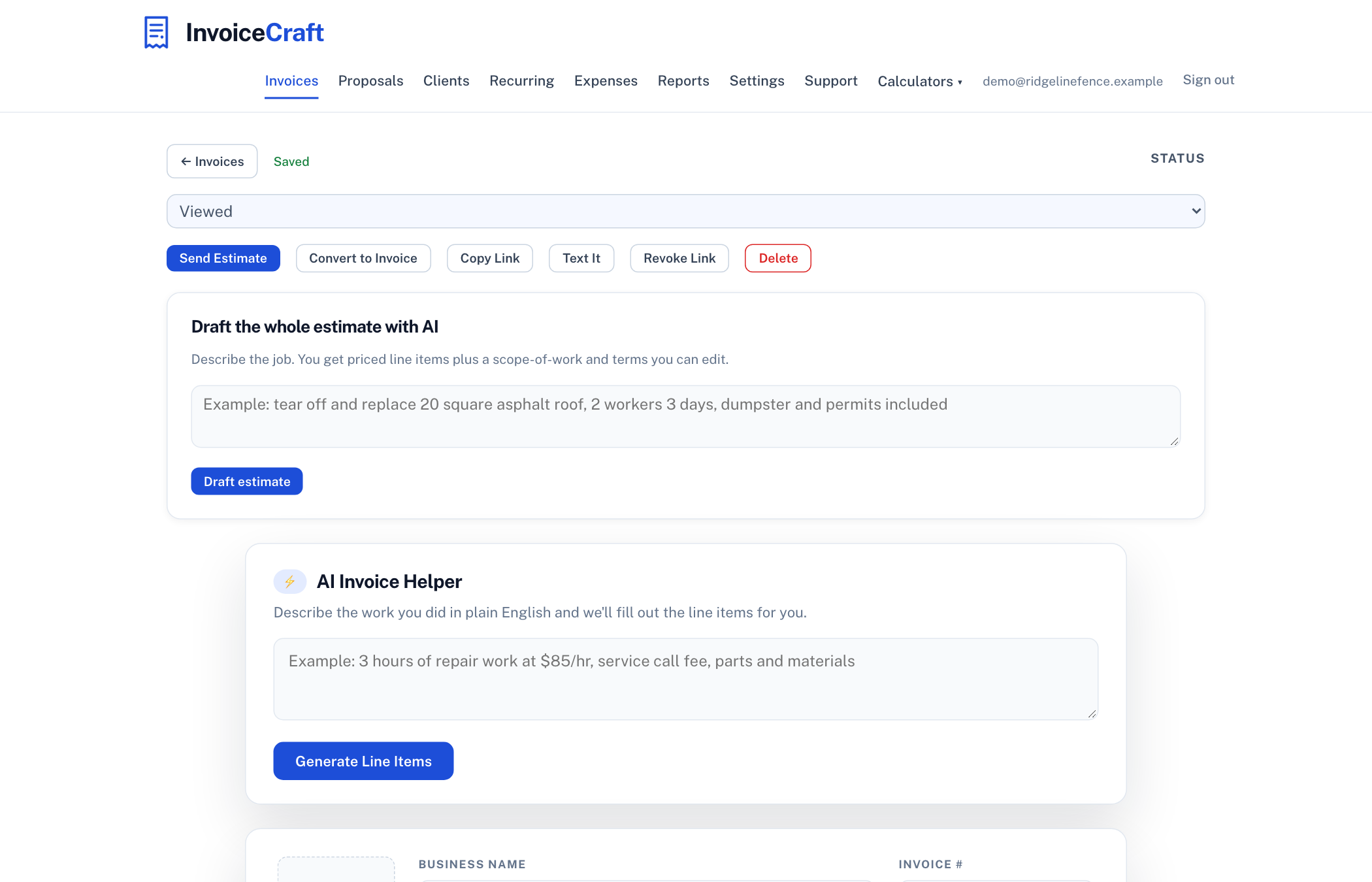
An estimate gives the customer a number before they decide. InvoiceCraft turns the approval into a click, keeps the estimate on file, and converts it to an invoice with the next number when the work is booked.
Estimate or proposal?
An estimate is the fast answer to "roughly what will this cost?". It lists the work and a price, carries a validity date, and the customer approves it with a typed name. A proposal is the fuller document for jobs with a defined scope, optional add-ons the customer picks, terms, and a deposit that is invoiced automatically on acceptance. If you find yourself writing paragraphs into an estimate, it is a proposal.
How estimates work in InvoiceCraft
- Draft it. Use the free estimate template with no account, or in the app describe the job and let the AI write priced line items, a scope-of-work note, and terms for your trade.
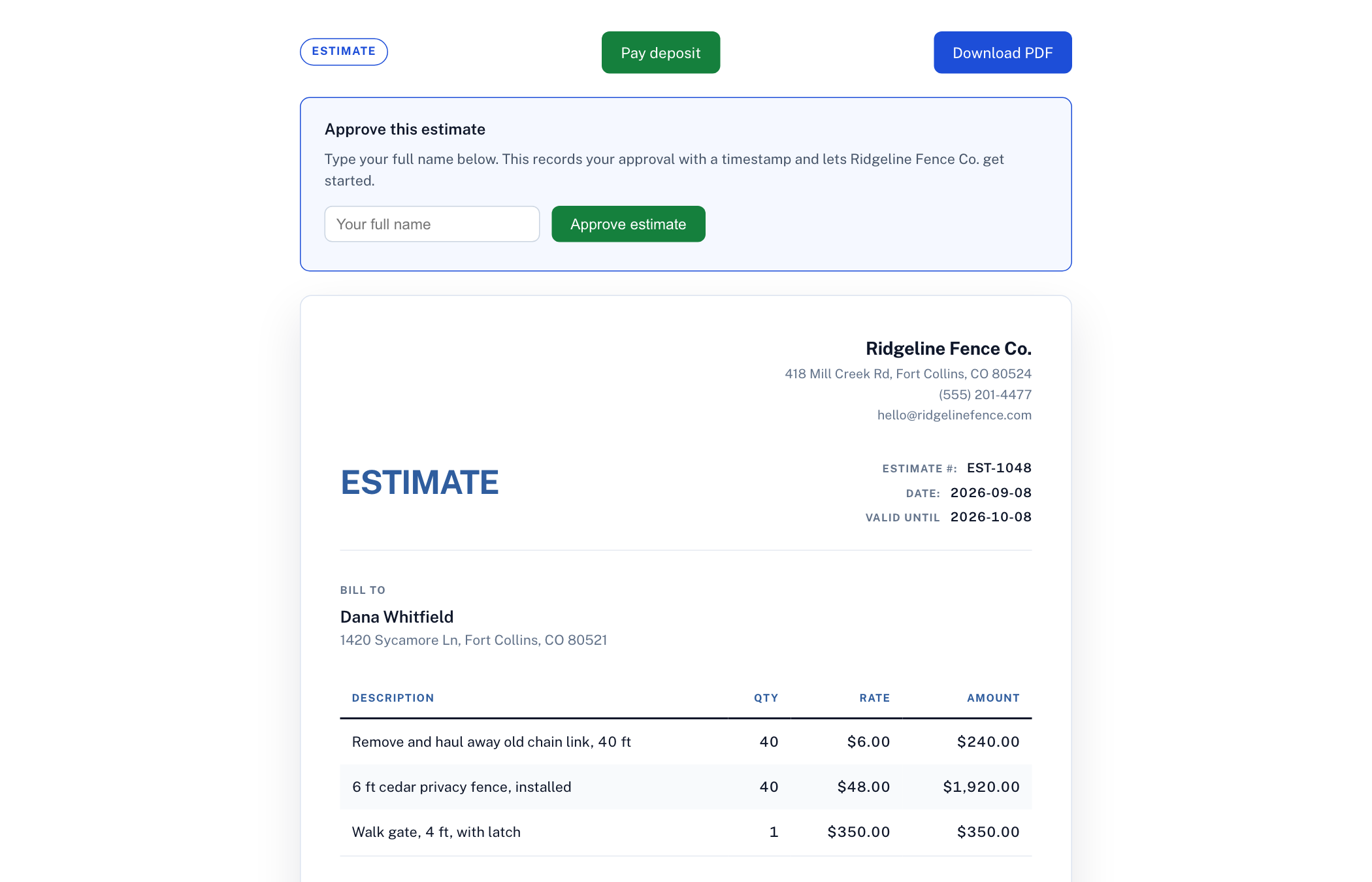
- Send the link. The customer sees a clean page on their phone with the items, total, validity date, and an Approve button. You get an email the moment they approve.
- Convert with one click. The approved estimate becomes an invoice with the next invoice number, the same client, and the same items. A deposit, if you set one, is shown on both.
What to put on an estimate
Separate labor from materials so a customer who supplies their own materials can see the difference. State what is excluded (permits, disposal, painting after drywall) because those are the items that turn into arguments. Give the estimate an expiry date, thirty days is common, so a price from March is not held against you in August. Say when a deposit is due and what happens if the scope changes. The AI draft does all of this by default; the trade pricing report has current rate ranges if you are unsure what to charge.
Free estimate templates by trade
Landscaping, HVAC, plumbing, electrical, cleaning, roofing, painting, handyman, pressure washing, photography. Each one opens with realistic line items for that trade.
Frequently asked questions
Is the estimate generator free?
Yes. The estimate template makes unlimited estimate PDFs with no account and no watermark. Online approval, conversion to an invoice, and saved estimates come with a free account and its 14-day Pro trial.
How does a customer approve an estimate?
They open the link you send, review the items and total, type their full name, and click Approve. The approval is recorded with a timestamp and you are emailed. The estimate then converts to an invoice in one click.
Can an estimate include a deposit?
Yes. Set a fixed amount or a percentage. It shows on the estimate as due on approval and carries through to the invoice. For a deposit invoice that goes out automatically the moment the customer accepts, use a proposal.
What is the difference between an estimate and a quote?
In practice they are used interchangeably. Strictly, a quote is a fixed price and an estimate is an approximation that can change with the scope. Whichever word you use, put an expiry date on it and say what is excluded.