 InvoiceCraft
Electronic signature, built into the proposal
No separate e-sign tool, no envelopes, no per-signature fees. The customer types their name on the proposal page and the acceptance is recorded, hashed, and printed on the signed PDF.
How a typed name becomes a signature
The customer sees the full proposal, ticks any optional items, and reaches an acceptance box. They type their full name, which previews in a signature face, tick "I agree to the terms above and to signing electronically," and press Accept. That click is the signature. The page states the consent in plain words, and the same sentence is printed on the PDF.
What is recorded, and why it holds up
- Who: the typed name.
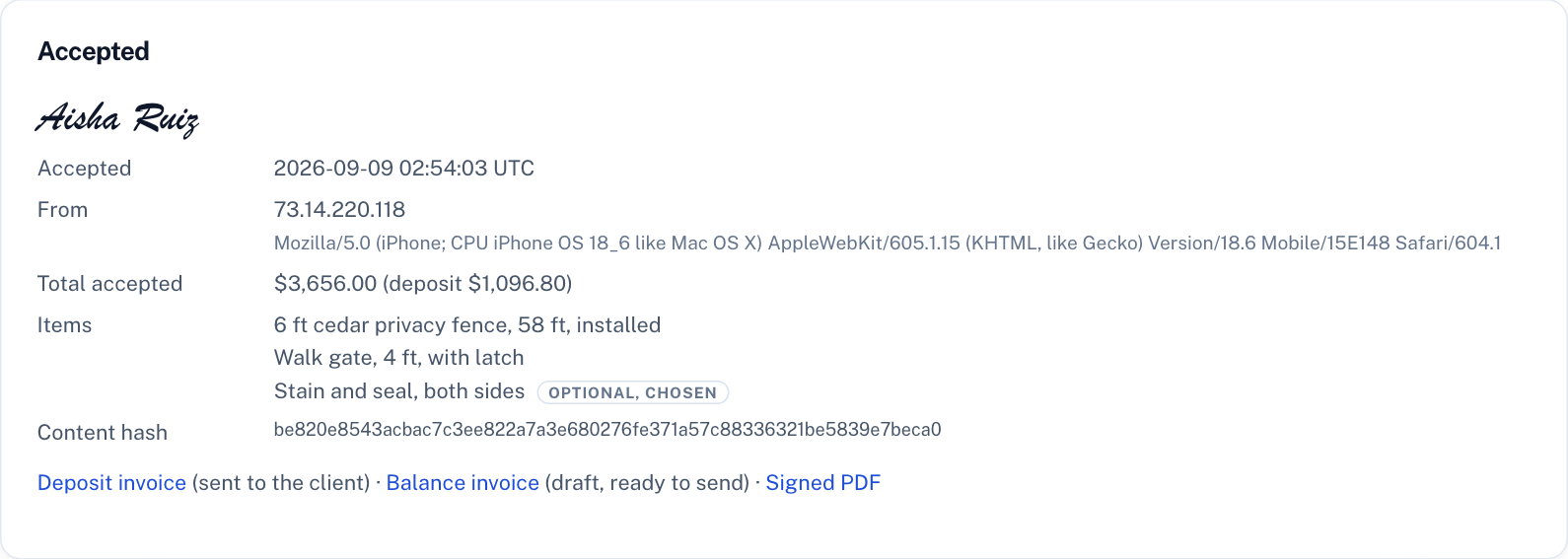
- When: the server's UTC timestamp, not the phone's clock.
- Where from: the IP address and browser string.
- What exactly: the selected items, the totals, and a SHA-256 hash of the rendered proposal content, so any later change to the document is detectable.
- Immutable: the acceptance record cannot be edited or deleted, by the customer or by you. Deleting the proposal keeps the record.
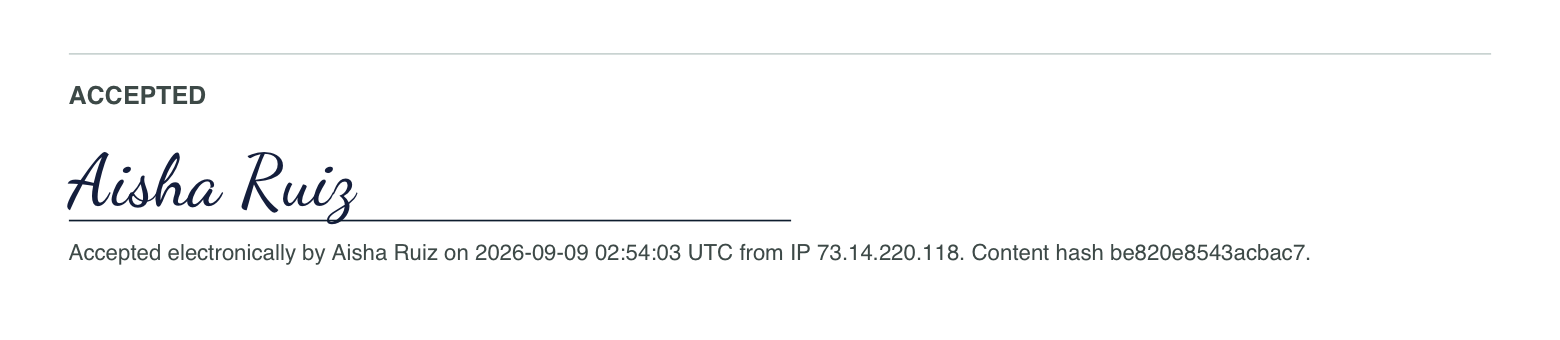
The signed PDF shows the name rendered in a signature typeface with an "Accepted electronically by NAME on DATE from IP" footer and the consent sentence in the terms area.
Is this legal?
In the United States the ESIGN Act (federal) and UETA (adopted by nearly every state) give electronic signatures the same effect as ink when the signer intended to sign, consented to doing it electronically, and the record is kept in a form that can be reproduced. A typed name with recorded consent and an audit trail meets that bar for ordinary service contracts, which is why the same approach is used by large e-signature vendors. Regulated documents such as wills, some real-estate instruments, and court filings have their own rules. If a job is large enough that you would have asked a lawyer about the contract anyway, ask them about this too.
What happens after acceptance
You get an email with the name, time, and total, and a link to the signed proposal. The invoice is generated from the accepted items, with a deposit invoice sent to the customer first when you set one. The customer gets a confirmation with a link to their signed copy. See how proposals work.
If the job changes later, a change order is signed the same way and recorded the same way: typed name, time, IP address, browser, the content agreed, and a hash of it. Neither record can be edited or deleted afterwards, including by us.
Frequently asked questions
Do I need DocuSign or another e-sign service?
No. Acceptance is built into the proposal page. There is nothing to install, no envelope to prepare, and no per-signature charge.
Is a typed name a valid electronic signature?
In the U.S., yes for ordinary contracts, under the ESIGN Act and UETA, provided the signer intends to sign and consents to signing electronically. InvoiceCraft records that consent, the name, the time, the IP address, the browser, and a hash of the content.
Can the customer or I change the record afterwards?
No. The acceptance record is stored with database rules that refuse updates and deletions. If a proposal is deleted, its acceptance record stays.
Where does the customer sign?
On the proposal page, on any device. It is designed for phones: big checkboxes for optional items, one text box for the name, one tick for consent, one button.
Does e-signature work on the free plan?
Yes. Free accounts get three proposals a month with the same acceptance flow. Pro adds unlimited proposals, deposits, and branding.